
Setting the Privacy Status for a Video
When you create a YouTube publishing destination, one of the default properties that can be set is the YouTube privacy setting. By default, there are three options, Public, Private and Unlisted. When videos are published to YouTube, the privacy setting for all videos will be set to the selected setting.
You may have cases where the YouTube privacy setting for each video should be different. In this case, a custom field associated with the video can be used to control the privacy setting, allowing each video to have a different privacy setting. When the video is published to YouTube using Brightcove Social, the privacy setting will be set to the value specified by the custom field value.
Creating the custom field
Start by adding a custom field to your account. In the Admin module, click Video Fields in the left navigation, then click New to open the Add Custom Field dialog.
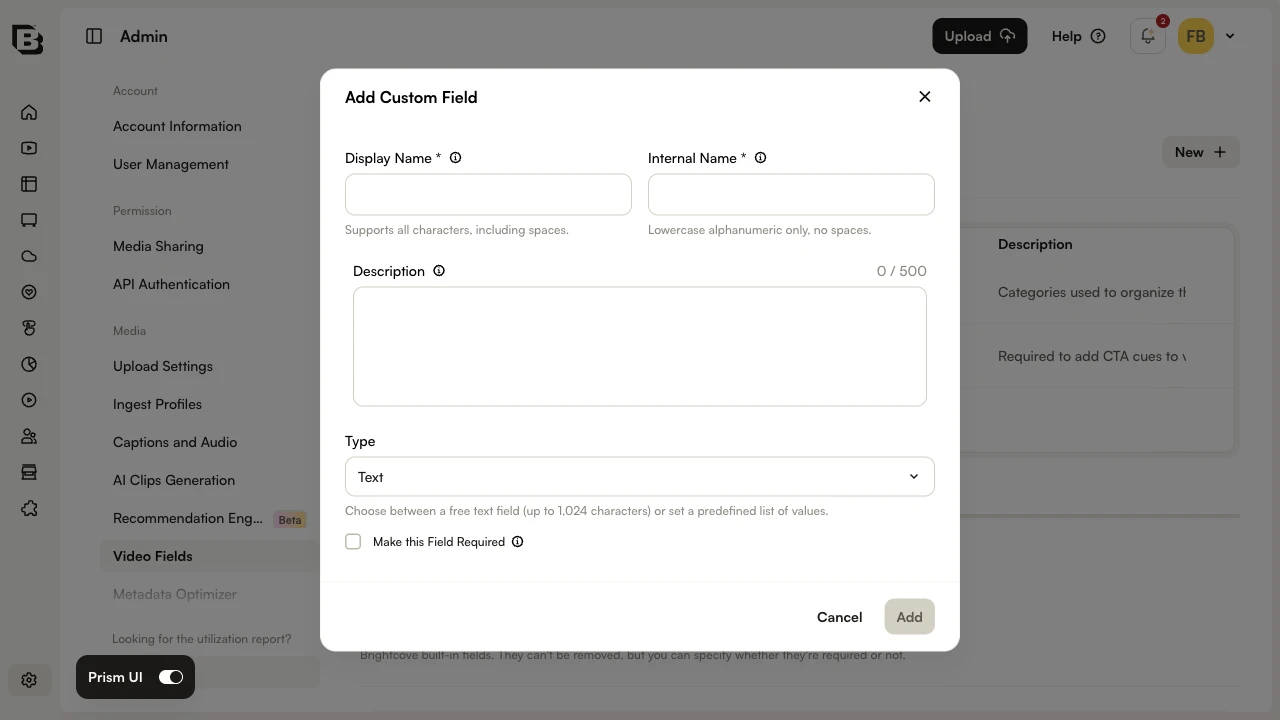
Configure the field as follows:
- Display Name —
YT Privacy Status(or any human-readable label) - Internal Name —
yt_privacy_status(lowercase, no spaces) - Type — List, with the values
private,public, andunlisted
Click Add to save the field. For full details on creating custom fields, see Creating Custom Metadata Fields.
Setting the value of this custom field controls the YouTube video privacy setting:
| yt_privacy_status | YouTube Video Privacy Setting |
|---|---|
| private | private |
| public | public |
| unlisted | unlisted |
| value is null or unset | public |
Tip: By using a List type for the custom field, users will be able to select the status using a dropdown vs. having to type a value in.
Assigning a value to the custom field
Once the custom field has been added, the value can be set per video using the Media module. Open a video, scroll to the Custom Fields section, and select the desired value for YT Privacy Status.
Editing the publishing destination
In the Social module, edit the YouTube publishing destination and set the Privacy Setting default to Use YT_Privacy_Status Custom Field. With this option selected, the privacy setting for each video published to YouTube will be driven by the value of the yt_privacy_status custom field on that video.
Publishing the video
When a video is selected and the YouTube destination is selected, it will have the privacy status that was set using the custom field.